

Attach files to chat messages to share images and documents with AI agents. Use the attach button or drag-and-drop to upload up to 10 files per message. Each file can be up to 2 GB in size.Documentation Index
Fetch the complete documentation index at: https://docs.jitera.ai/llms.txt
Use this file to discover all available pages before exploring further.
How to Use
-
Attach Files
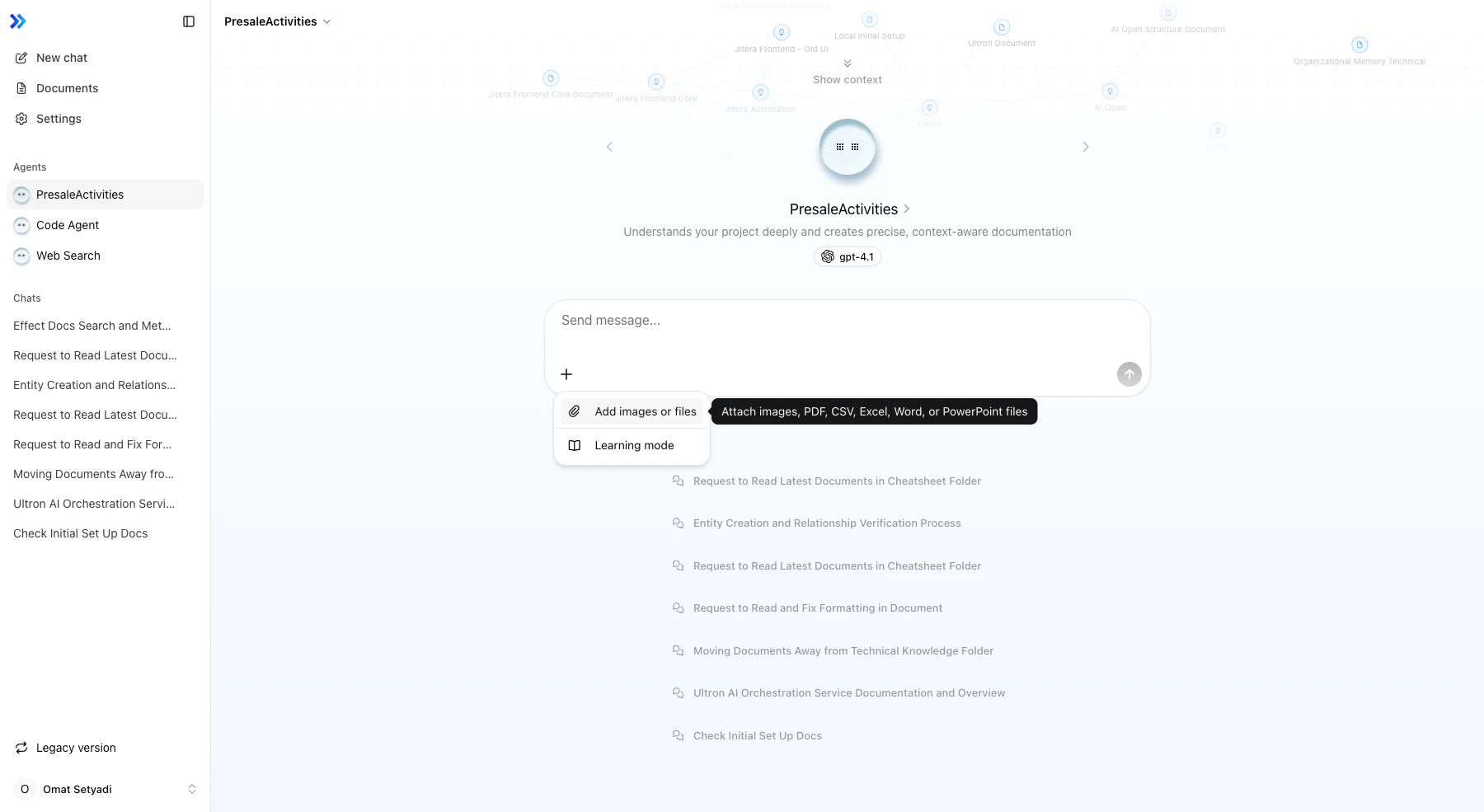
Click the + button in the chat input and select Add images or files. Or drag-and-drop files directly into the chat window.
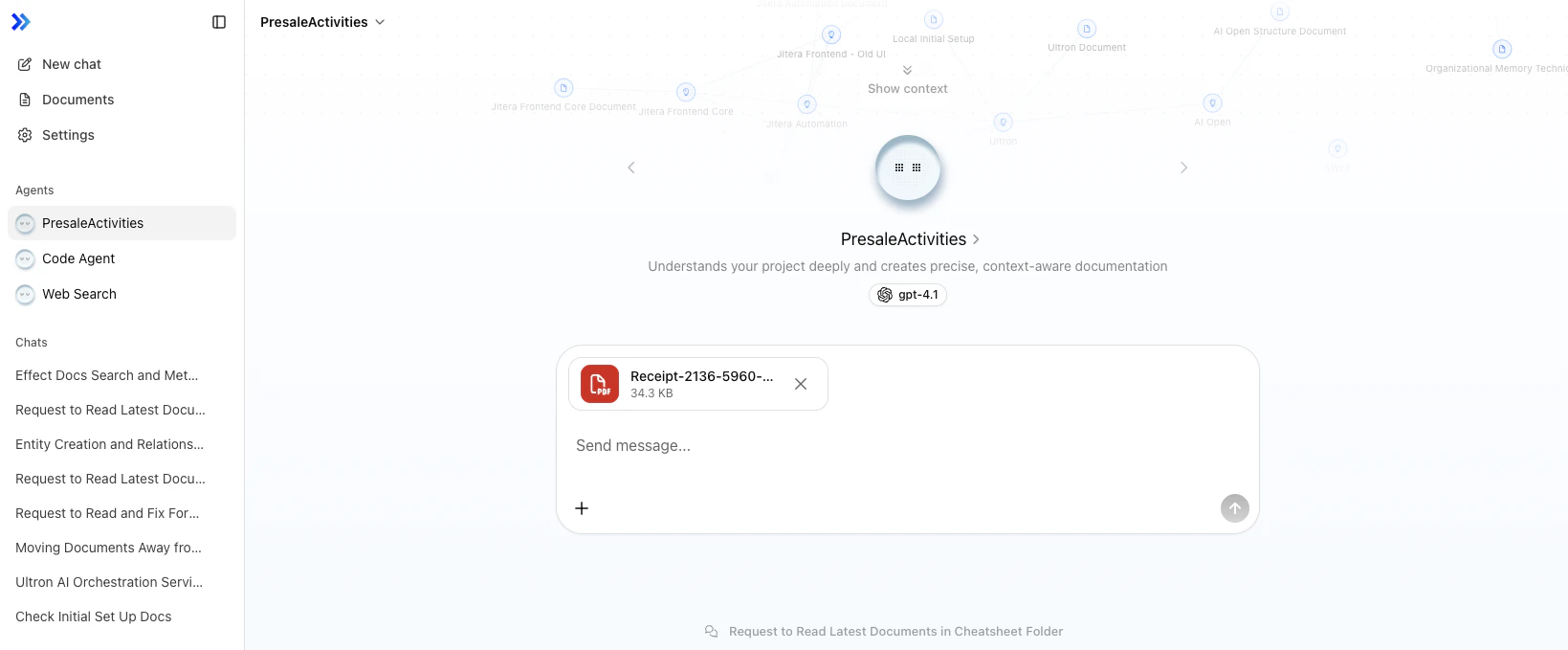
- Preview Uploads Attached files appear as preview cards below the input. Images show thumbnails, documents show file type icons.
-
Remove Files (Optional)
Click the × button on a preview card to remove a file before sending.
- Send Message Type your message (optional) and send. Attached files are shared with the agent.
Supported File Types
Images (4 formats):- PNG (.png)
- JPEG (.jpeg, .jpg)
- GIF (.gif)
- WebP (.webp)
- PDF (.pdf)
- CSV (.csv)
- Excel (.xls, .xlsx)
- Word (.doc, .docx)
- PowerPoint (.ppt, .pptx)
File Generation
You can also ask agents to create files. For example, asking “Summarize the sales data in Excel” or “Export as CSV” will have the agent generate the file and display it as a downloadable attachment in the chat. Supported generation formats: Excel (.xlsx), CSV, TSV, etc.Related
- Agent Basics — Chat interface overview
- Tool Calls / Actions — How agents process files