

Documentation Index
Fetch the complete documentation index at: https://docs.jitera.ai/llms.txt
Use this file to discover all available pages before exploring further.
Plan Mode is currently in beta.
How to Use
-
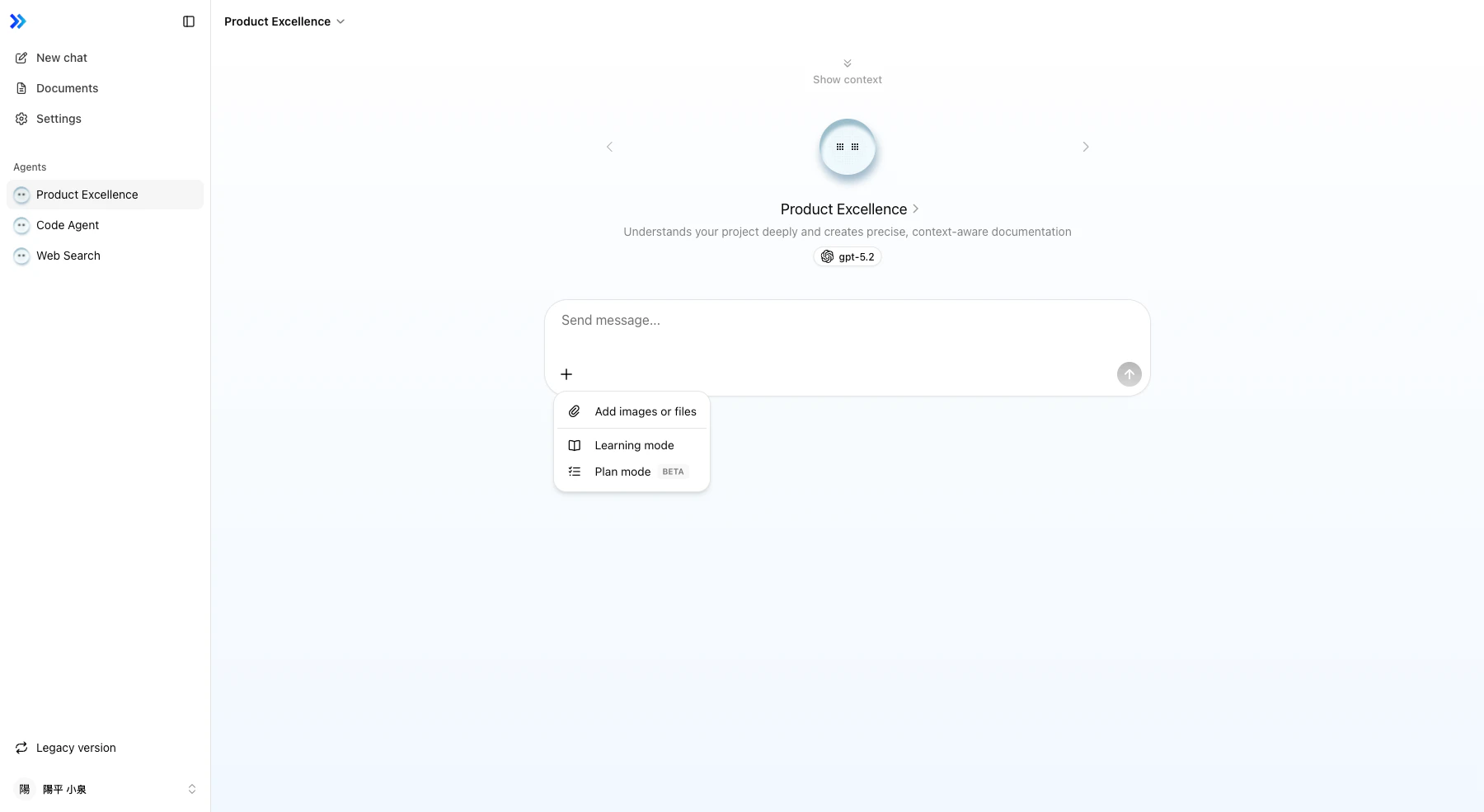
Enable Plan Mode
Click the + button in the chat input and select Plan mode from the menu.
-
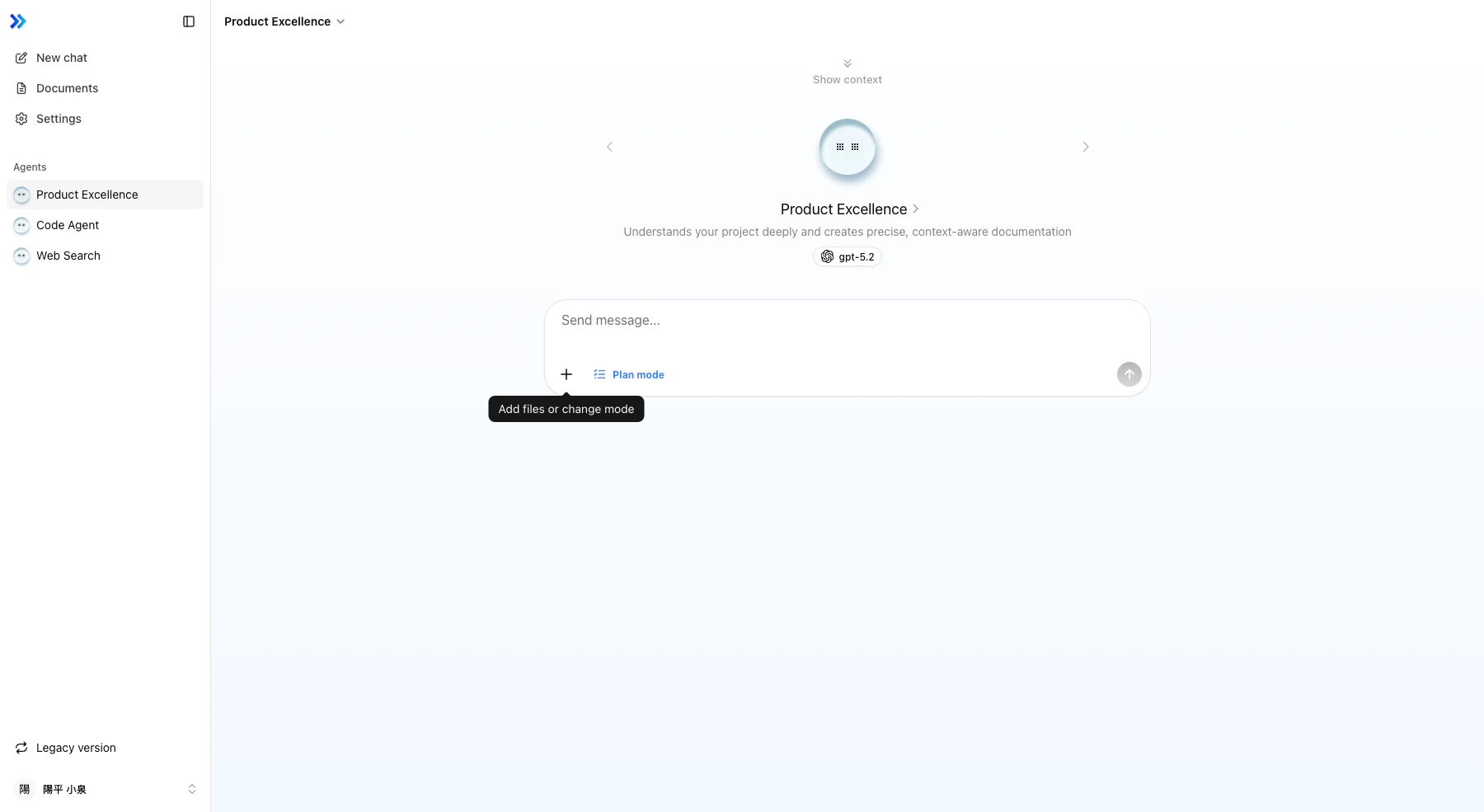
Verify Activation
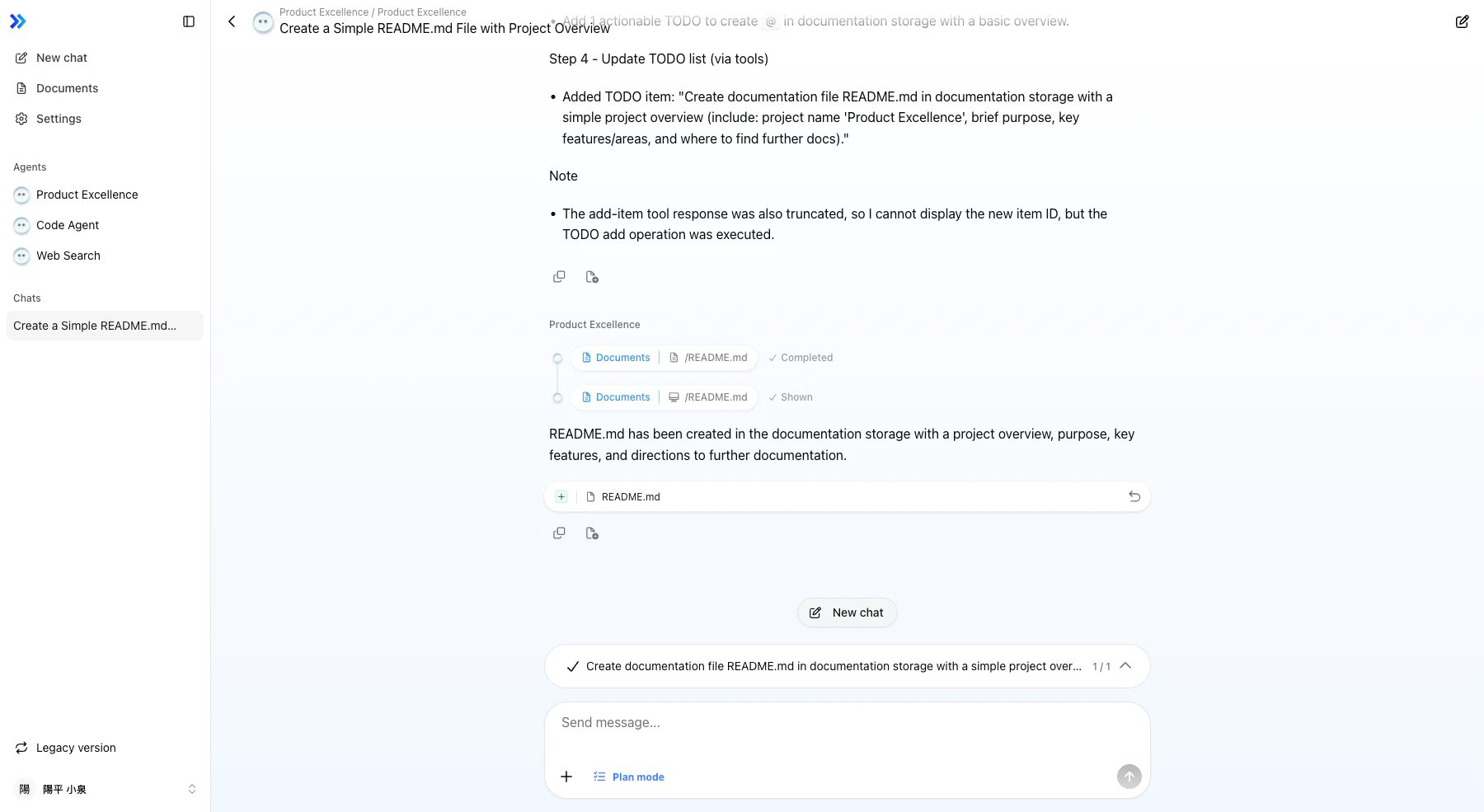
A blue Plan mode indicator appears next to the + button.
- Send Your Request Send a message and the agent will analyze your request and create a structured plan.
-
Review the Plan
The task list panel displays the plan. Each task has a description and status icon.
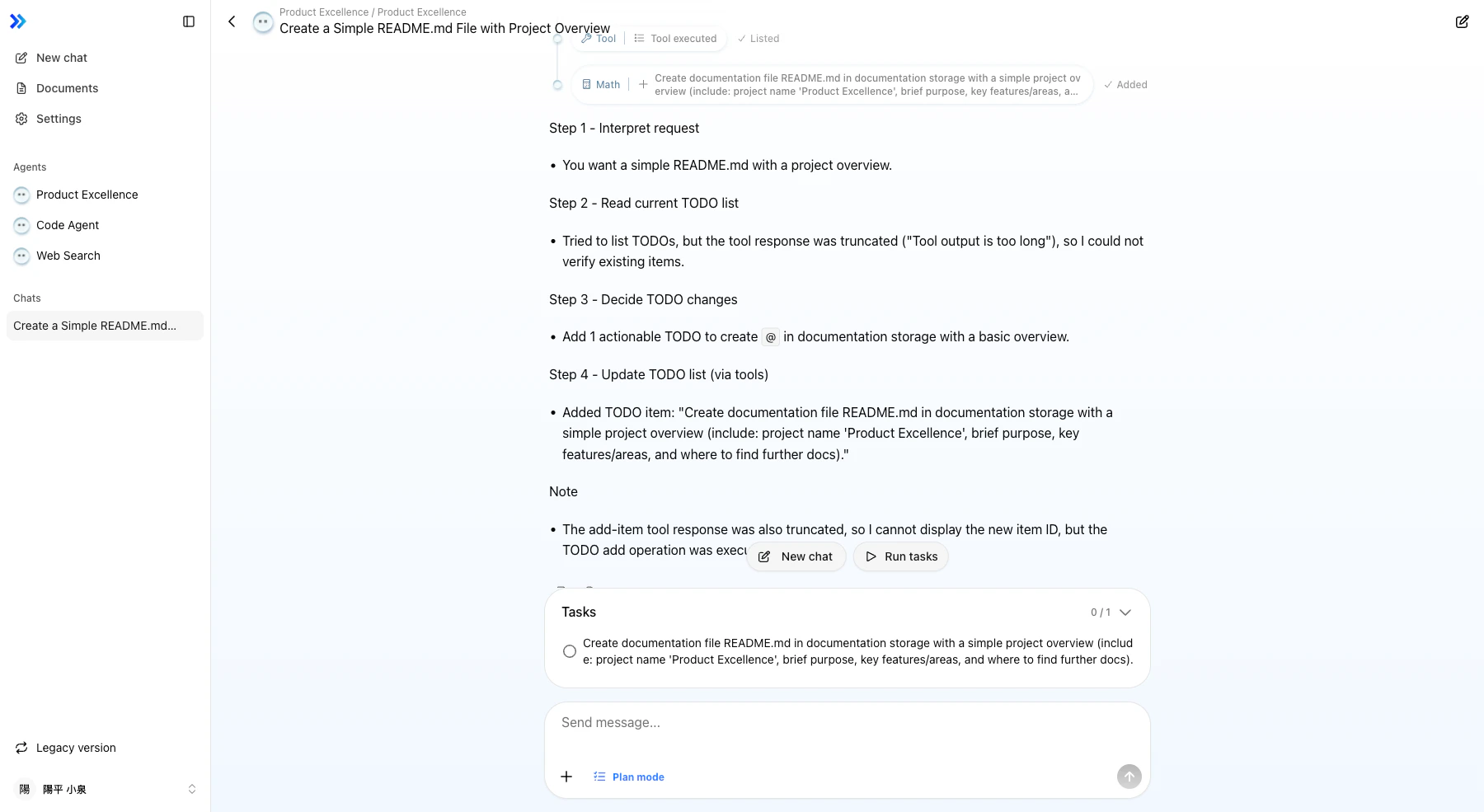
- Execute the Plan Click the Run tasks button to begin sequential execution.
-
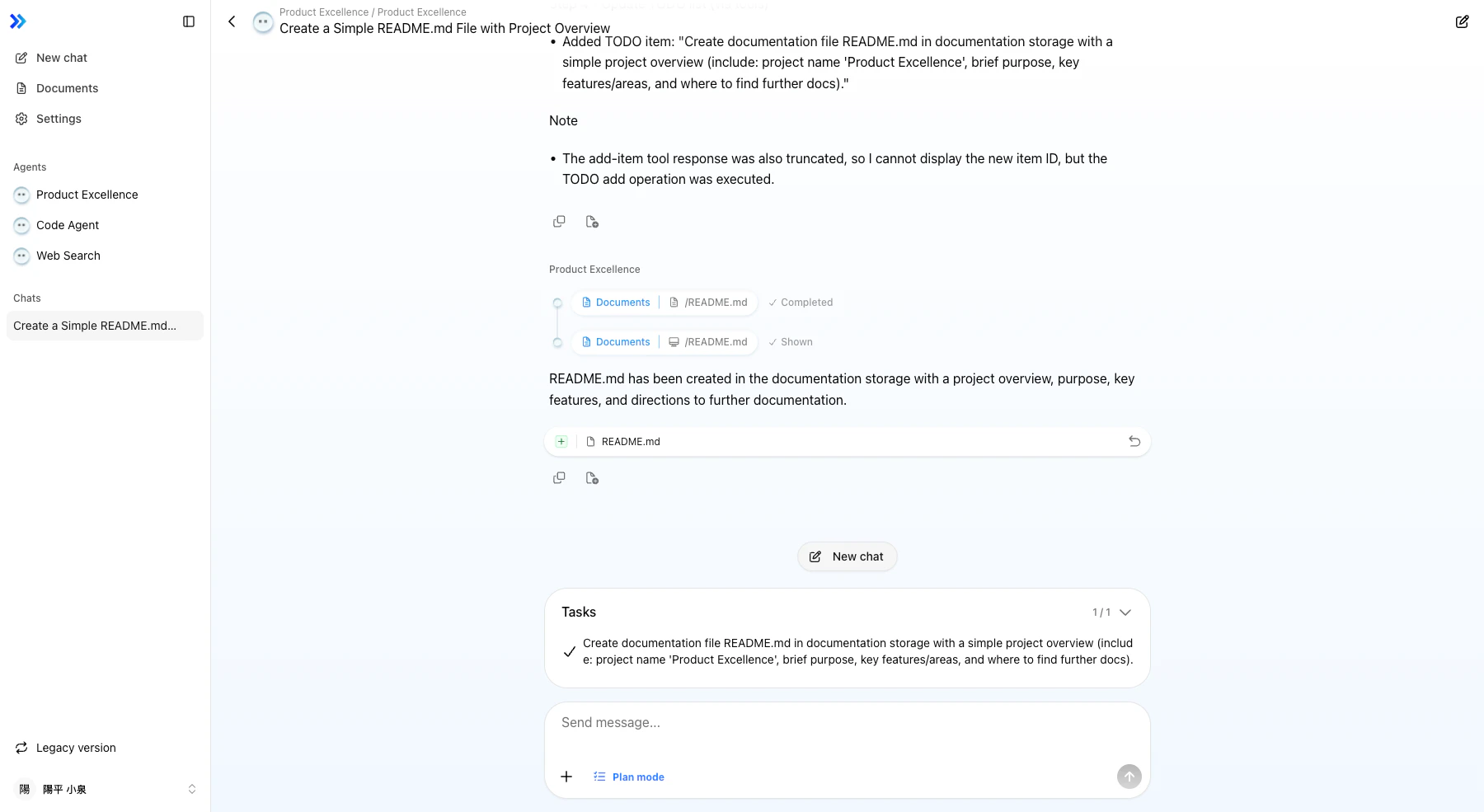
Monitor Progress
Task statuses update in real time.
-
Expand or Collapse the Task List
Click the task list header to toggle the display.
Task Statuses
| Status | Icon | Description |
|---|---|---|
| Pending | ○ | Task has not started yet |
| In Progress | Spinner | Agent is working on the task |
| Completed | ✓ (green) | Task completed successfully |
| Error | ! (red) | An error occurred during execution |
Related
- Agent Basics — Chat interface overview
- Tool Calls / Actions — Tool execution during tasks