

Documentation Index
Fetch the complete documentation index at: https://docs.jitera.ai/llms.txt
Use this file to discover all available pages before exploring further.
Group Chat is currently in beta.
Features
- Invite project members to a thread with
@mention - All participants share the full history, including pre-join messages
- Use multiple agents in the same thread
- Real-time typing indicators
- Blue dot in sidebar for unread threads
- Filter threads by unread mentions using the Unread filter button
- Thread owner can rename or delete the thread
How to Use
Invite a Member to a Thread
- Open any chat thread
-
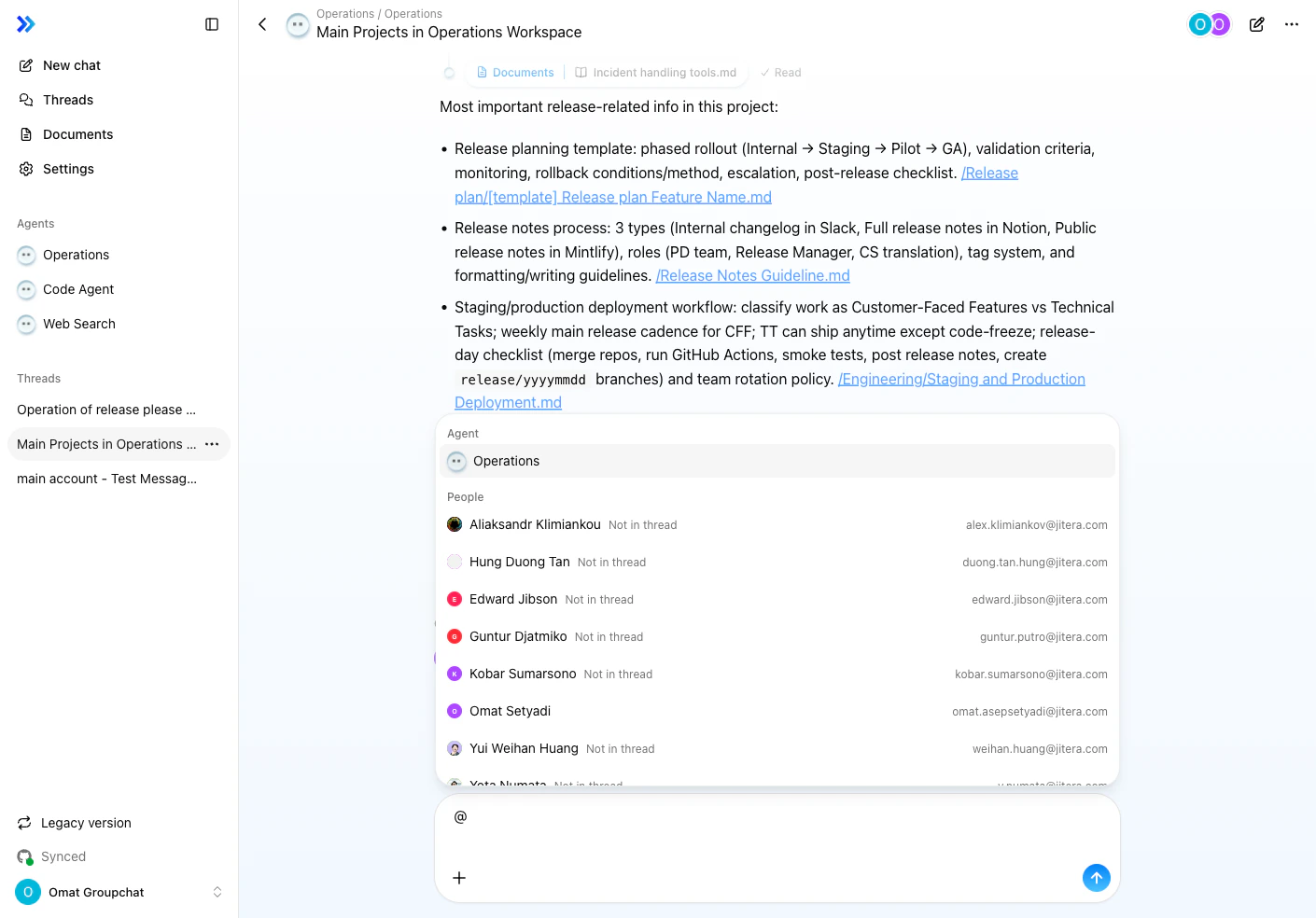
Type
@in the message input -
Select a person from the dropdown — the list is organized into Agents, People, and Documents sections
-
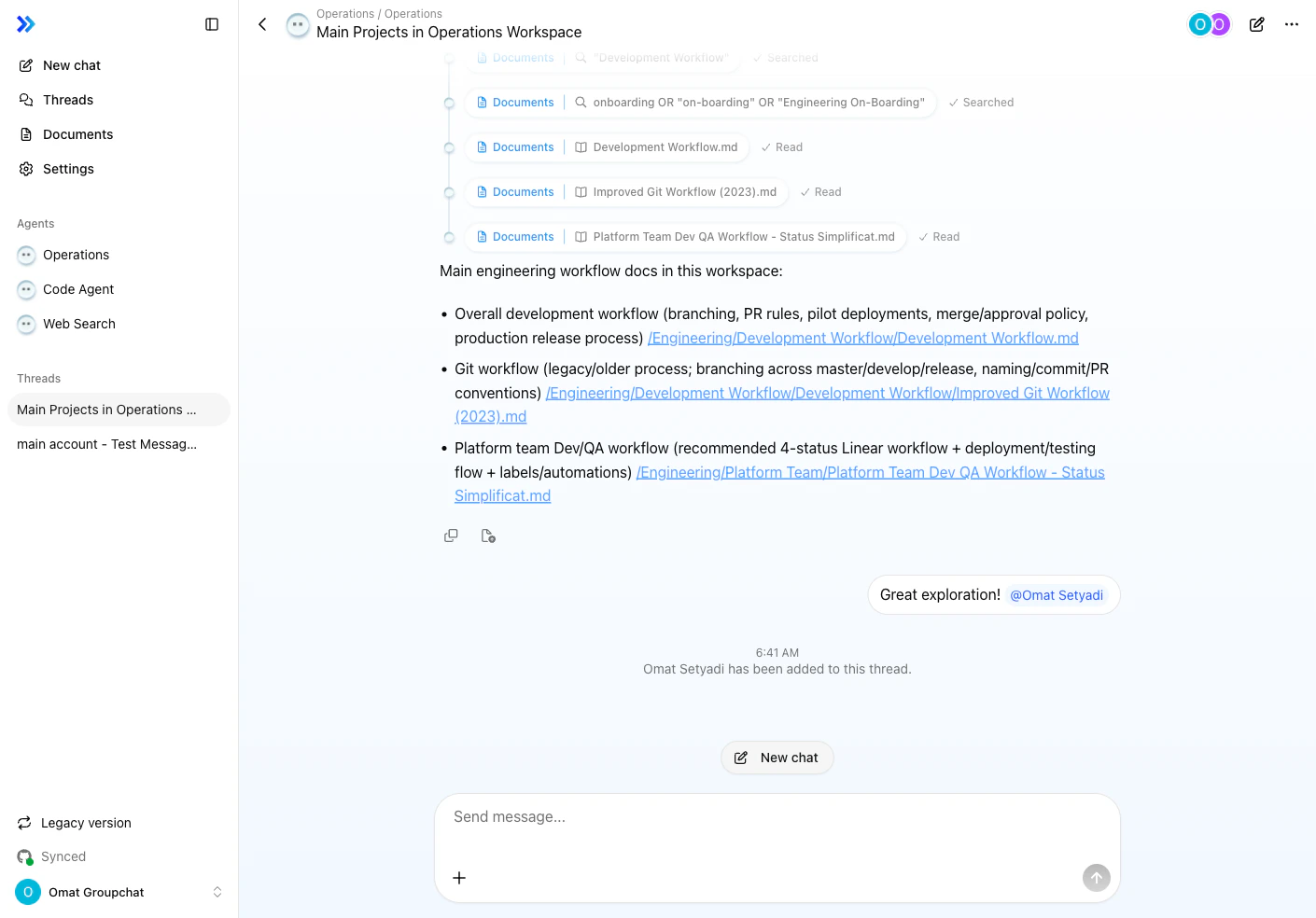
Send the message — the person is added immediately
View Thread Members
Click the member avatars in the top-right corner of the thread to open the Thread members dialog. You can search for and add more members from this dialog.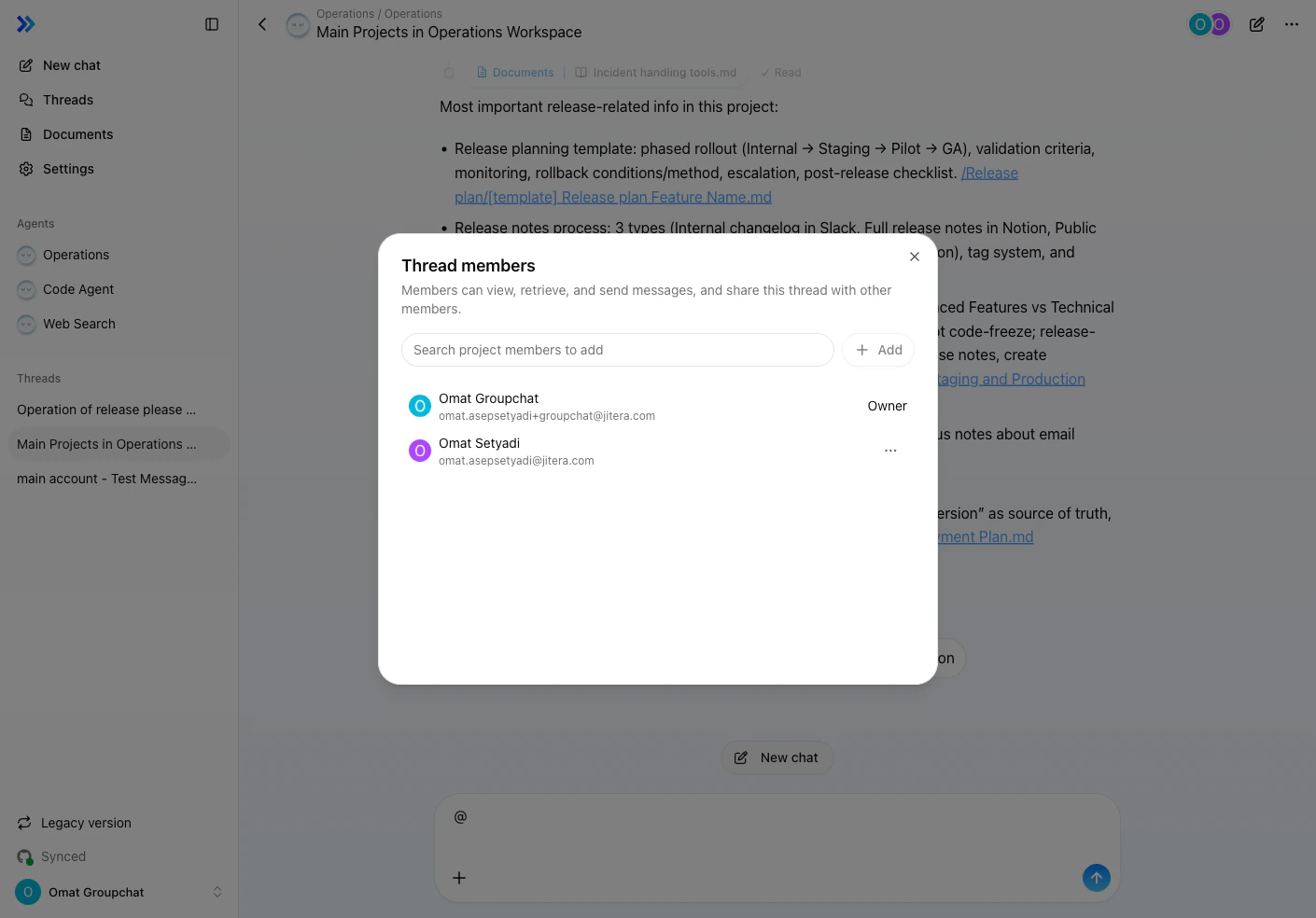
Typing Indicator
When another participant is composing a message, their name and an animated ”…” indicator appear.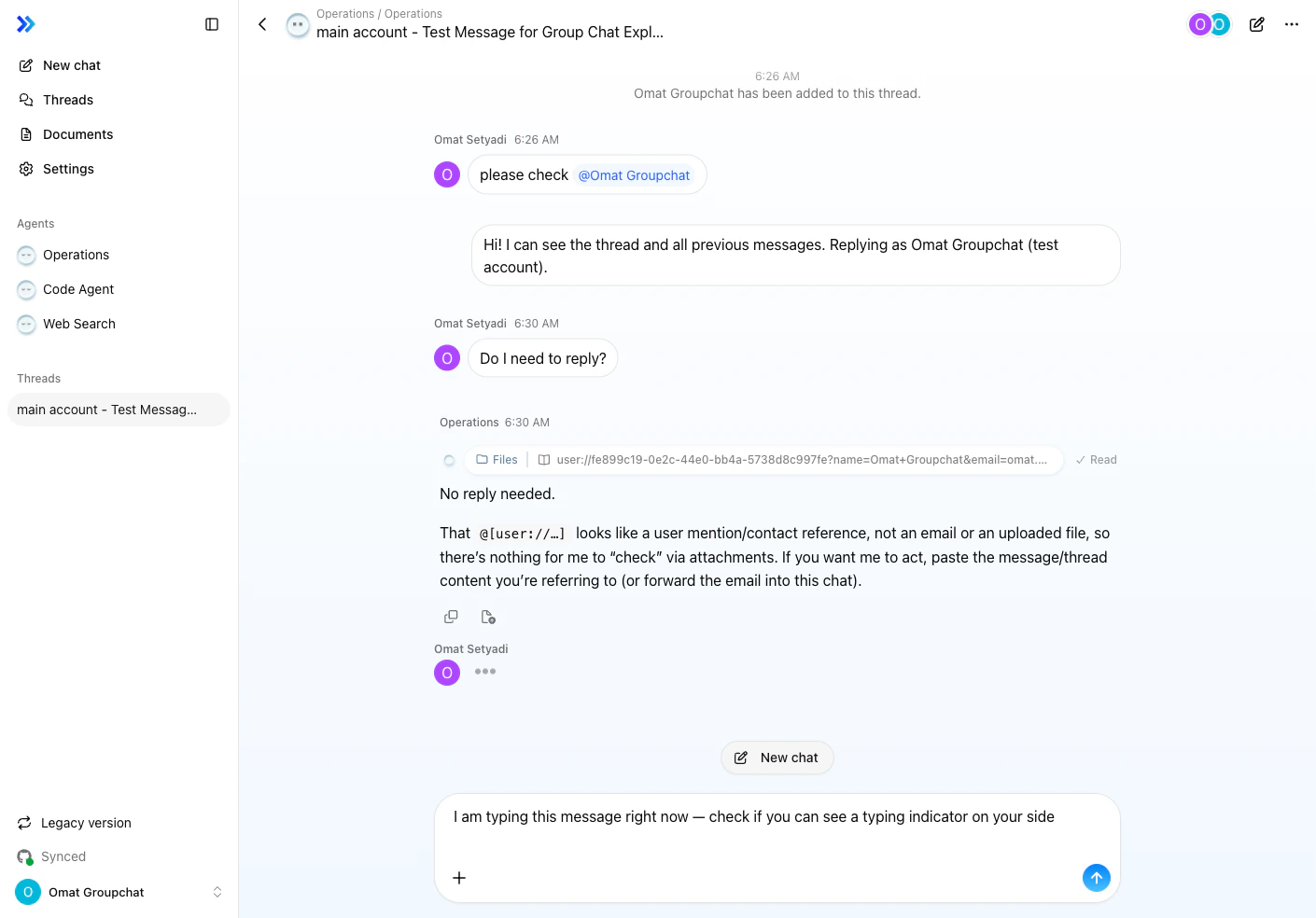
Filter Threads
Use the Unread filter button at the top of the thread list to show only threads with unread messages. This helps you quickly find conversations that need your attention.The Unread filter requires the group_chat feature flag to be enabled.
Leave a Thread
- Click … in the top-right corner of the thread header
- Select Leave thread
- Click Leave to confirm
Agent Behavior
Triggered by @Mention
In group chat, agents respond when @mentioned. Type@agent-name in your message to direct it to a specific agent.
Multiple Agents
You can have multiple agents participate in the same group chat. For example, ask Code Agent to analyze code while having Web Search research the latest information.Shared Context
Agents are aware of the full chat history and participant information:- Who said what
- Which members are in the thread
- Context from past interactions
How Responses Work
Group chat operates on a message basis, not turn-based. The@mentioned agent generates a response, while unmentioned agents remain idle. You can mention multiple agents in the same message.
Related
- Agent Basics — Chat interface overview
- Choosing the Right Agent — How to choose agents
- Chat Threads — Thread management
- Plan Mode — Structured task execution (not available in group chat)