

In the document editor, team members and AI agents can collaborate on the same document in real time. Edits are reflected instantly for everyone, and you can see other members’ cursor positions and typing in real time.Documentation Index
Fetch the complete documentation index at: https://docs.jitera.ai/llms.txt
Use this file to discover all available pages before exploring further.
Real-Time Collaboration
When multiple members open the same document simultaneously, real-time collaboration is automatically enabled.- Real-time sync — Other members’ edits are reflected instantly in the editor
- Presence indicators — Avatars appear at the top of the document showing who is currently editing
- Remote cursors — Other members’ cursor positions and selections are shown as colored cursors with their names
- Automatic conflict resolution — Conflicts from simultaneous edits are automatically resolved using CRDT technology
AI Chat Panel
When you open a document, an AI chat panel appears alongside the editor.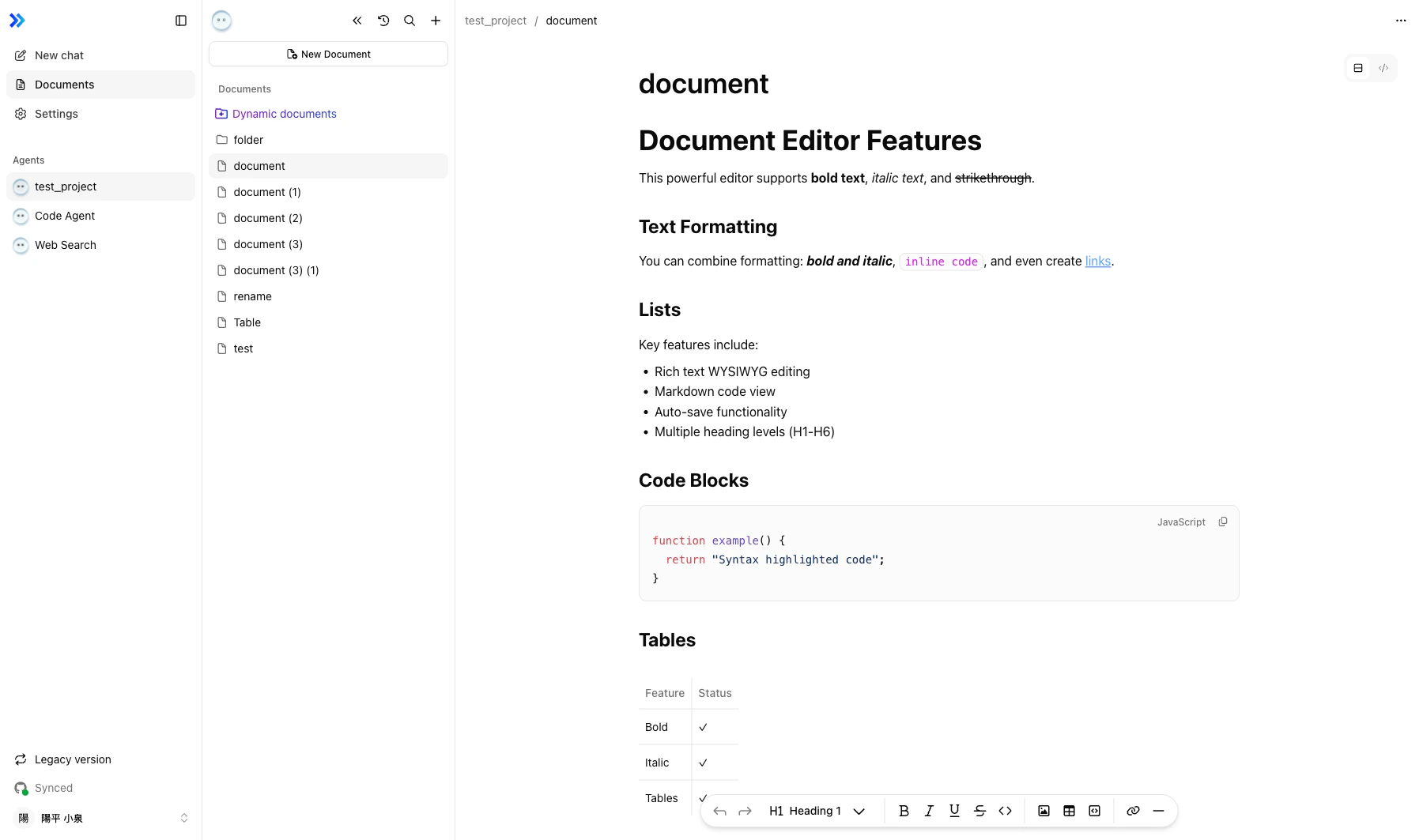
- Open any document from the Documents section
- The chat panel appears on the left side of the editor
- Select an agent from the agent selector at the top of the chat panel
- Type a message and press Enter to send
Document Context
The AI agent automatically understands your current work context.- The content of the open document is included in the conversation
- Unsaved draft changes are also shared with the agent, so it responds based on the latest state
Mentioning Documents
Type@ followed by a document name to reference other documents. The agent reads and uses the mentioned documents to inform its responses.
AI Document Editing
Agents can write to and modify documents directly. Changes made by agents are part of real-time collaboration — they appear instantly in other members’ editors.Related
- AI Chat Interface — Chat interface basics
- Agent Selection — Choosing the right agent
- Editing Documents — Editor basics